01
I built a team to do the work I was doing at midnight
Not a chatbot you talk to. An orchestrator, a bench of specialists, a dashboard, jobs on a schedule, hooks that enforce the rules, a memory that keeps what it learned, and gates that keep a person in charge.
The whole thing started the way most real problems do: not with a business metric, with a life full of competing priorities. My first kid on the way, a house that needed remodeling, and my first business to run. Teaching an off-road class meant being gone all day, then sitting at the computer doing customer follow-ups and preparing the next class while still filthy from the trail, showering at midnight long after my family had gone to sleep.
You don't find time, you prioritize it. Running Sierra Nevada Off Road Academy meant bookings, payments, waivers, reminders, rosters, customer email, curriculum, and the follow-up after every class, spread across different tools with me carrying information between them. My estimate is that the routine admin alone was eating about 15 hours a week. So I automated what I could and handed off the rest.
So I built the machine. One orchestrator named Smith takes every request, decides who should handle it, and hands it off with full context. Specialists do the actual work. A dashboard called CAIRN shows the state of everything. Scheduled jobs run most of it while I sleep. And a small set of gates makes sure nothing important happens without me saying the word. The rest of this page walks through each of those pieces.

02
The team is built in layers
Think of it as three working layers plus a fourth that keeps the machine in check, not a wall of faces. Each specialist has one job, one voice, and a tightly scoped set of things it is allowed to touch.
Twenty-seven specialists sit under Smith, who routes the work, plus one external member: Codex, OpenAI's coding CLI, fully folded into the same process as everyone else. Every one runs on a model matched to the weight of its job and can touch only what its role requires. The most important shared rule: none of them can send an email or push anything live on its own. They draft and prepare. The final word is always mine.
Each card below lists what the agent does, its own line, the model it runs on, how many tasks it has handled to date and, in plain words, what it is allowed to touch. Open a card for the last part.
The business operating system (8)
The layer that runs the ventures day to day: bookings, payments, waivers, marketing, partnerships, and the technical accuracy that keeps a training company credible.
Wren Operations Coordinator Can touch →
Reads and writes files, reads and writes Notion and Google Sheets, reads the SNVORA booking calendar, reads email. Cannot send.
Bill Financial Controller Can touch →
Reads and writes files, reads and writes Google Sheets, reads the SNVORA inbox. Cannot send, cannot move money.
Hollis Marketing Manager Can touch →
Reads and writes files, reads Notion, connects to the email marketing tool. Cannot send campaigns without the word.
Halsey BD and Partnerships Lead Can touch →
Reads and writes files, reads and writes Notion and Google Sheets, drafts Gmail. Cannot send.
Margot Business and Competitive Research Can touch →
Reads and writes files, searches the web, reads Notion.
Dag Off-Road Technical Specialist Can touch →
Reads and writes files, searches the web, reads Notion.
Cael Air Down Scientist Can touch →
Reads and writes files, searches the web, reads Notion.
Thorn Fire Service Training Specialist Can touch →
Reads and writes files, searches the web.
The owner operating system (5)
The layer that handles my writing, planning, and research, plus the personal projects that would otherwise sit on my desk.
Waverly Content Strategist and Brand Voice Can touch →
Reads and writes files, drafts email in three accounts, reads Notion. Cannot send.
Jules Travel Agent and Trip Planner Can touch →
Reads and writes files, searches the web, reads Notion and email.
Susan Senior Researcher Can touch →
Reads and writes files, searches the web, dispatches its own sub-agents to read in parallel.
Marlowe Screenwriter and Adaptation Specialist Can touch →
Reads and writes files, searches the web, reads and writes Google Docs.
Marek Short-Term Trading Analyst Can touch →
Reads and writes files, reads market data. Can place a trade only in one sandbox account, and only behind a confirm gate.
The self-improving production system (9)
The layer that builds the work and the tools the work runs on: sites, design, video, curriculum production, and the systems engineering underneath all of it.
Fletcher Systems Engineer and Integration Architect Can touch →
Reads and writes files, runs commands, reads and writes Google Sheets, dispatches sub-agents. The plumbing under everything.
Kit Web App Developer and Dashboard Frontend Can touch →
Reads and writes files, reads and updates Netlify project settings. Deploys stay gated on the word.
Pax Product and UX Designer Can touch →
Reads and writes files, searches the web, reads Notion, reads Netlify project settings.
Sienna Graphic Designer and Brand Steward Can touch →
Reads and writes files, searches the web.
Reeves Video Director and Creative Director Can touch →
Reads and writes files.
Sable Cinematographer and Visual Stylist Can touch →
Reads and writes files.
Cruz Video Editor and Post-Production Lead Can touch →
Reads and writes files.
Reese Content Ops and Editorial Producer Can touch →
Reads and writes files, reads and writes Notion and Google Sheets.
Ansel Intelligence Analyst Can touch →
Reads and writes files, searches the web.
The ones who keep the machine in check (5)
The layer that checks the other three: verifying work actually finished, curating memory, watching the systems, hiring, and tracking what needs to happen next.
Tate QA and Process Auditor Can touch →
Reads and writes files, runs commands. Verifies, never authors the work it checks.
Quill Memory and Knowledge Architect Can touch →
Reads and writes files. Curates the memory index.
Vance AI Ops and Site Reliability Owner Can touch →
Reads and writes files, reads email, watches the systems.
Nolan Head of Talent Can touch →
Reads and writes files. Designs new roles when the team has a gap.
Morgan Program Manager and Project Strategist Can touch →
Reads and writes files, reads and writes Notion.
Above the layers, and outside the house (2)
The orchestrator that routes everything, and the team's one external member: Codex, OpenAI's coding CLI. It is not a side channel: it gets the same written briefs and task IDs as everyone else, its work is tracked on the same dashboard, and everything it builds is reviewed before it merges.
Smith Chief of Staff and Orchestrator Can touch →
Defined in the repo's CLAUDE.md, not an agent file. Takes every request, triages it, and routes it. Runs the operational pieces itself and hands the specialized work out.
Codex External Implementation and Outside Review (OpenAI Codex CLI) Can touch →
OpenAI's coding CLI, governed by the repo's AGENTS.md. Briefed in writing with a task ID like any team member, tracked on the dashboard, reviewed before merge. Dispatched for building and for an independent second opinion, never for anything the house gates reserve for a person.
03
Every request travels the same path
Every request takes the same route, no matter how big it is or who ends up doing the work. Click on each step to see the details.
- CJ
I share my idea or outline of a plan as a simple prompt.
- Smith triages
Smith figures out what it really is, which project it belongs to, and how much it matters right now.
- Task on CAIRN
The request becomes a tracked task on the dashboard, so it is visible the moment it exists.
- Brief
Smith writes a brief with full context, a clear deliverable, and the task ID, and hands it to the right specialist.
- Specialist
The specialist does the actual work, on the model matched to the job. The work is then peer-reviewed and is not accepted as complete until it meets the goal set out in the brief.
- Deliverable
The finished piece shows up in the dashboard for review, with a naming convention that traces it back to the specialist.
- Reviewers
Where it matters, another set of hands checks it: Tate for whether it finished, Kit or Waverly for build and voice.
- CJ Inbox
Anything awaiting my review shows up in one place, on the dashboard.
- CJ decides
I approve, adjust, or send it back.
- Archive
Once I have signed off, the work is filed by project and month, and the task closes.

04
One board shows the whole operation
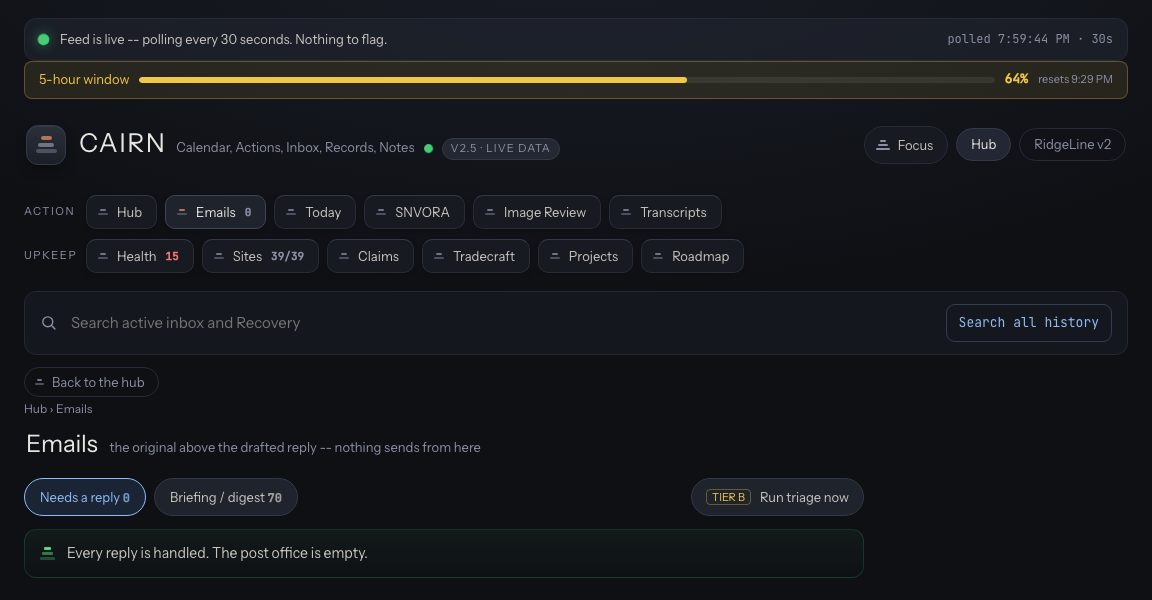
CAIRN is where I check on everything: Calendar, Actions, Inbox, Records, Notes.
CAIRN is a set of boards, each built for one question. The Hub is the morning overview. There are boards for email, for today's work, for image review, for transcripts, for system health, for the sites, for claims, for research, for projects, and for the roadmap. Every card shows live data, a plan, a system state, or something waiting on a decision.
The lane I care about most is Needs You. Anything waiting on my decision collects there, and I can approve it or send it back with one tap, from my phone, without opening a laptop. That is the point of the whole dashboard: make my approval immediate, easy, and well-informed.

The SNVORA Console
For Sierra Nevada Off Road Academy operations, I built a dedicated console. It shows real-time booking data: who has booked, how much, what day, what class. It also shows which emails they have received, the receipt, the waiver copy, the cohort agenda, and the unique booking link to reschedule or cancel. That lets me keep tabs on the customer experience without getting a copy of every email they get.
The console also serves as a single pane of glass for SNVORA infrastructure health and status.

05
The team gets it ready, I'm the one who says go
The team prepares, tests, and builds, right up to the last step, and then it waits for me.
CJ, ONE APPROVAL
NOTHING SENT, DEPLOYED, PAID, OR IRREVERSIBLE WITHOUT MY WORD
The gates load on every session, for every agent, before any work begins. They cover five kinds of action:
- Email and outbound. No email goes out without my explicit say-so in the moment. Drafts only, otherwise. Each account is wired to exactly one mailbox.
- Deploys and system state. Pushing a live site or merging to a production branch needs my word in the session doing it, never from a background job.
- Consent and cross-session. An approval given in one window does not travel to another. A specialist that designed a change cannot also be the one that applies it; the design and the action stay separate.
- Secrets and data. Credentials live in the system keychain, never in a file the team can read, and never in a screenshot or transcript.
- Business boundaries. Certain projects stay mine to steer; the team does not couple them together or expand their scope without my call. That said, one perk of the monorepo is that projects can share knowledge and resources.
Three hooks enforce this rather than trusting anyone to remember: a git guard that blocks dangerous operations on the live tree, a publish tripwire, and a bridge that surfaces a decision to me instead of guessing. And the permissions back it up: the writing agents can draft in my email accounts, but not one of them can hit send.
06
The team's memory follows rules I wrote
The expensive part of any lesson is learning it the first time. The system is built so we only pay for that lesson once, and that takes more than a file of notes.
Memory has three levels. At the bottom, a topic file for each lesson, one fact each, written the moment an agent learns it: a new account, a correction from me, a constraint it hit the hard way. In the middle, per-project rules files that load only when an agent is working in that project, so a booking lesson shows up for booking work and stays out of the way otherwise. At the top, one index that loads for every job, for every agent, every time. That index is the costly part. The real limit is context, how much an agent can keep in mind for a task, and the index spends some of it on every job, so every line has to earn its keep. Every agent reads it before starting, but only because I set it up that way; a sub-agent inherits what its parent knows only if the setup says so.
When the index fills up, nothing gets deleted. An entry moves down a level, where it still loads for the work that needs it. If a lesson turns out to be wrong, it's marked superseded and points at the correction, so the old answer never shows up without the new one beside it. All of it is plain markdown in git. Claude Code keeps its own memory folder for the project, and that folder is symlinked into the repo, so the memory is tracked and portable instead of a second copy sitting somewhere else. This is partly what lets the whole team stay model-agnostic.
At the moment there are 1,227 memory files and 26 rules files (September 8, 2026), indexed in 138 lines. A hook captures new lessons at the end of every session. Every morning at 4:30, a script Quill owns files any note nothing points at and flags duplicates for review instead of merging them. It is plain Python and never calls a model. The result is a team that doesn't make me explain the same things twice.
The longer version, including the outside review that got its biggest finding wrong and still caught a real gap, is in "Teaching an AI Team to Remember What It Learned".
07
The work runs on a schedule, mostly while I sleep
A lot of this never waits for me to ask. 69 jobs (September 8, 2026) run on their own clocks, and I meet the results in the morning.
There are 69 scheduled jobs installed, grouped by what they keep running:
- Dashboard rails - the jobs that keep CAIRN and its lanes current.
- Memory - capture and the daily curator.
- Email - the triage runs across the inboxes.
- Health - the checks that watch the sites and the systems.
- Tradecraft - the monitoring of new tools and techniques.
- Finance - the recurring money checks.
- Bookings - the calendar polls that keep my personal and SNVORA availability current.
- Transcripts - the watcher that picks up a new recording the moment it lands.
- Projects - the per-project maintenance runs.
A day in the life
- 04:00Claims drain. Overnight decisions get turned into the next morning's follow-up tasks.
- 04:30Memory curator. The script files the day's new lessons and keeps the index within its limit. It never calls a model.
- 05:15, MondaysModel eval. The system grades itself against a fixed set of real tasks, to determine the right model for each agent.
- 6:30 AM and 6:30 PMEmail triage. Three inboxes get read and sorted into four groups, and anything that needs a reply gets a draft in my voice. The briefing comes with a Notes section that reads like an assistant who knows my calendar and my customers. Nothing sends; the send button is mine. The full story is in "My Inbox Runs Itself Twice a Day".
- Every 30 secondsDashboard monitor. New deliverables get noticed and turned into a reminder within moments.
- NightlyBackups. The system's state is backed up while nothing is running.
- Every 15 minutesSite health. Every site gets a pulse check, around the clock.
- On dropTranscript intake. A new recording is picked up the moment it lands in the folder, with a two-minute poll behind it in case the watcher misses one.
08
What the team has actually shipped
These are live, in production, with real URLs you can open right now. At least 16 web projects sit in the account across production, staging, utilities, and club sites (documented inventory); here are the public ones worth a link.
As of the snapshot, 39 web properties are monitored for health (September 8, 2026); that count includes staging and internal rows, so it is not a claim that all 39 are public. The ten below are.
SNVORA
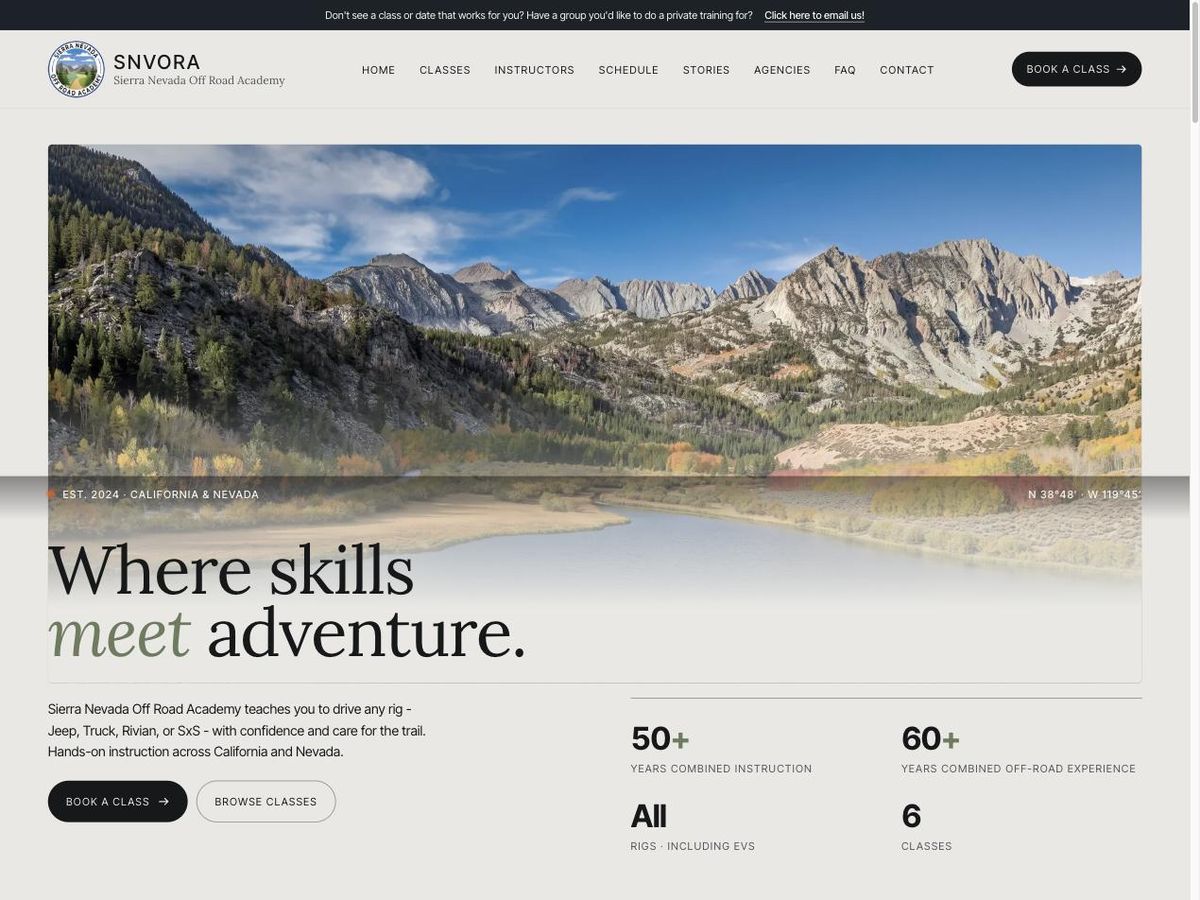
www.snvora.com - Netlify
The school's home: rock crawling and recovery training for recreational drivers and agencies.
Visit →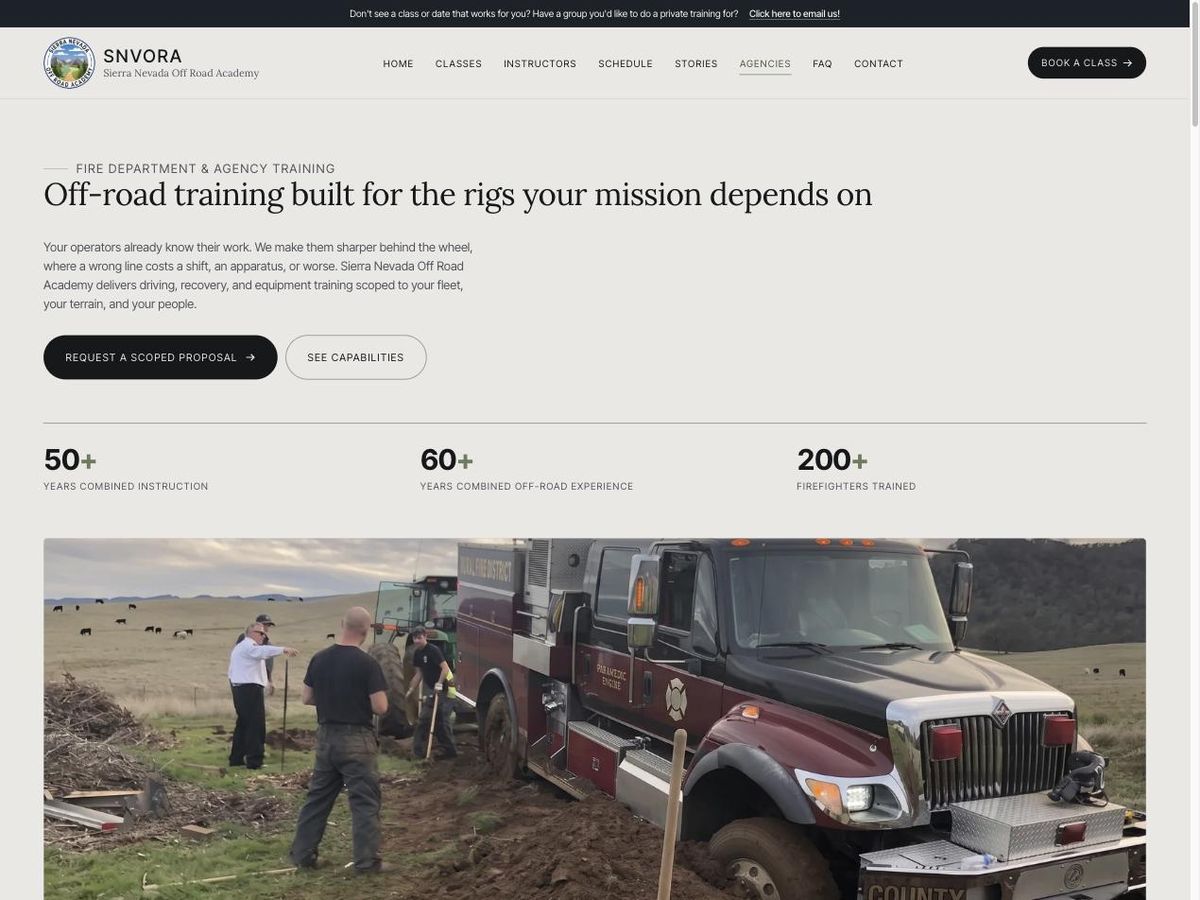
SNVORA for Agencies
agency.snvora.com - Netlify
The fire-department and agency programs, including winch training and off-pavement driver training.
Visit →
Air Down For What
airdownforwhat.com - Netlify
Off-road education and gear guidance, with a searchable technique library.
Visit →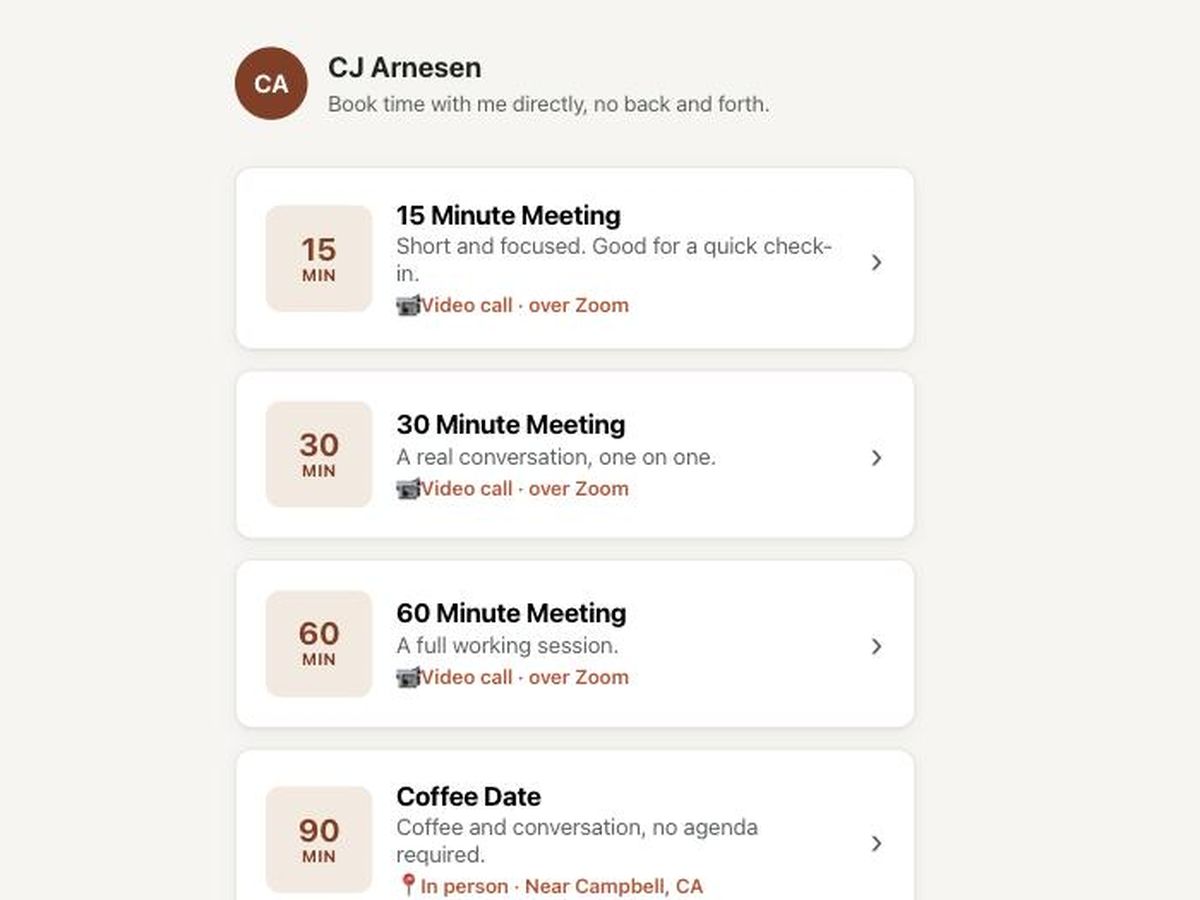
Hitching Post
cal.cjarnesen.com - Netlify + Cloudflare Workers + Neon
A personal scheduler that books against my real calendar, no back-and-forth email.
Visit →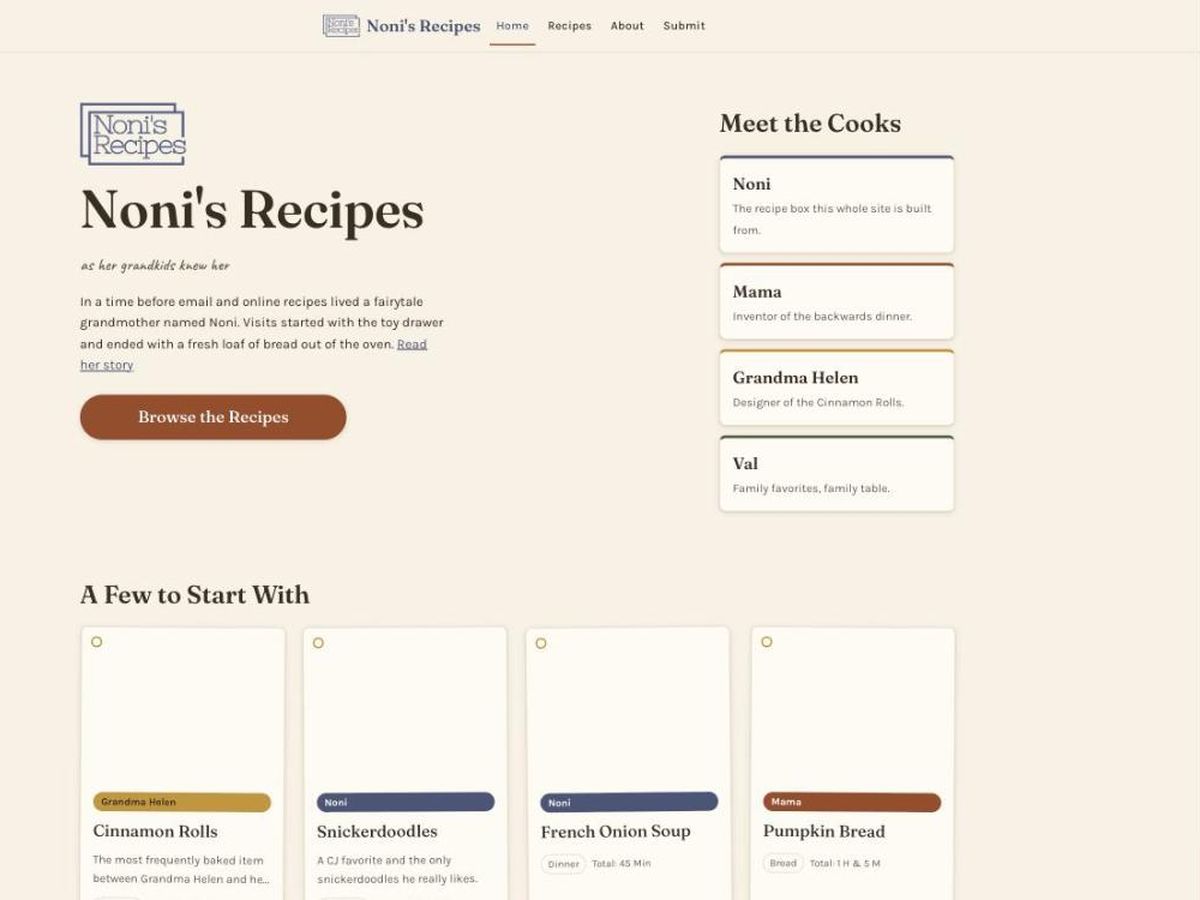
Noni's Recipes
www.nonisrecipes.com - Netlify
A family recipe site, kept simple and editable.
Visit →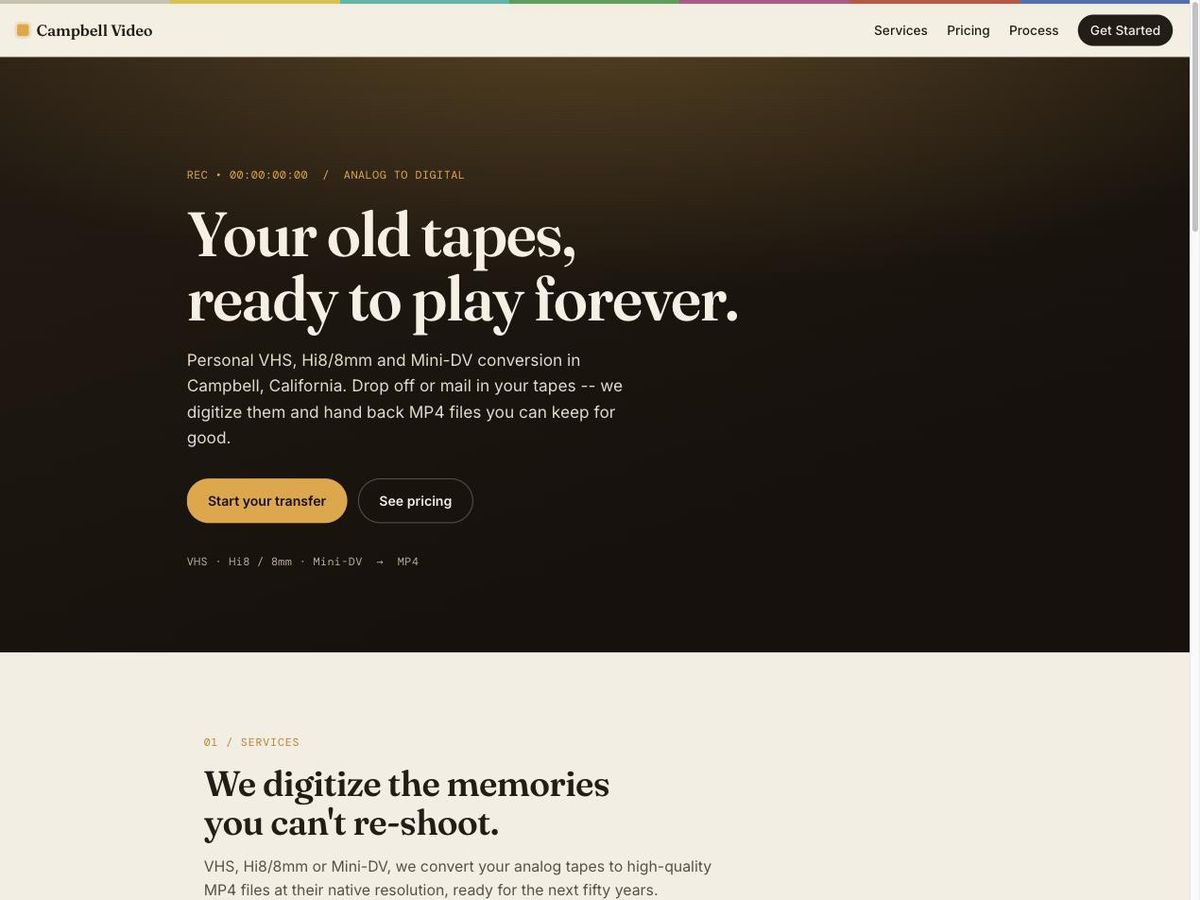
Campbell Video
campbellvideo.com - Netlify
A tape-digitization service built to run from home.
Visit →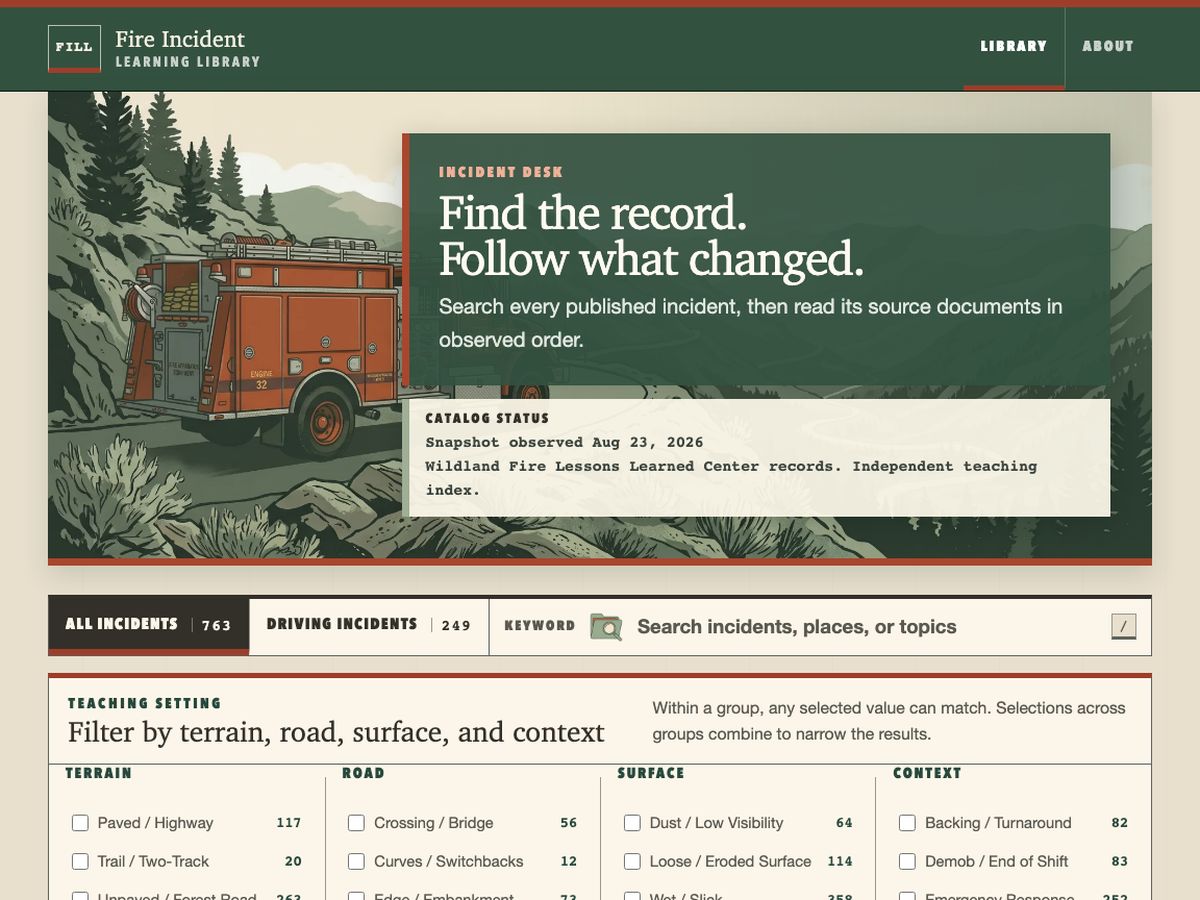
Fire Incident Learning Library
fireincidentlibrary.org - Netlify
763 fire and off-road incidents, turned into a searchable research tool.
Visit →
BARC Event Guide
barc-event-guide.netlify.app - Netlify
Self-guided event info and volunteer intake for the Bay Area Rivian Club.
Visit →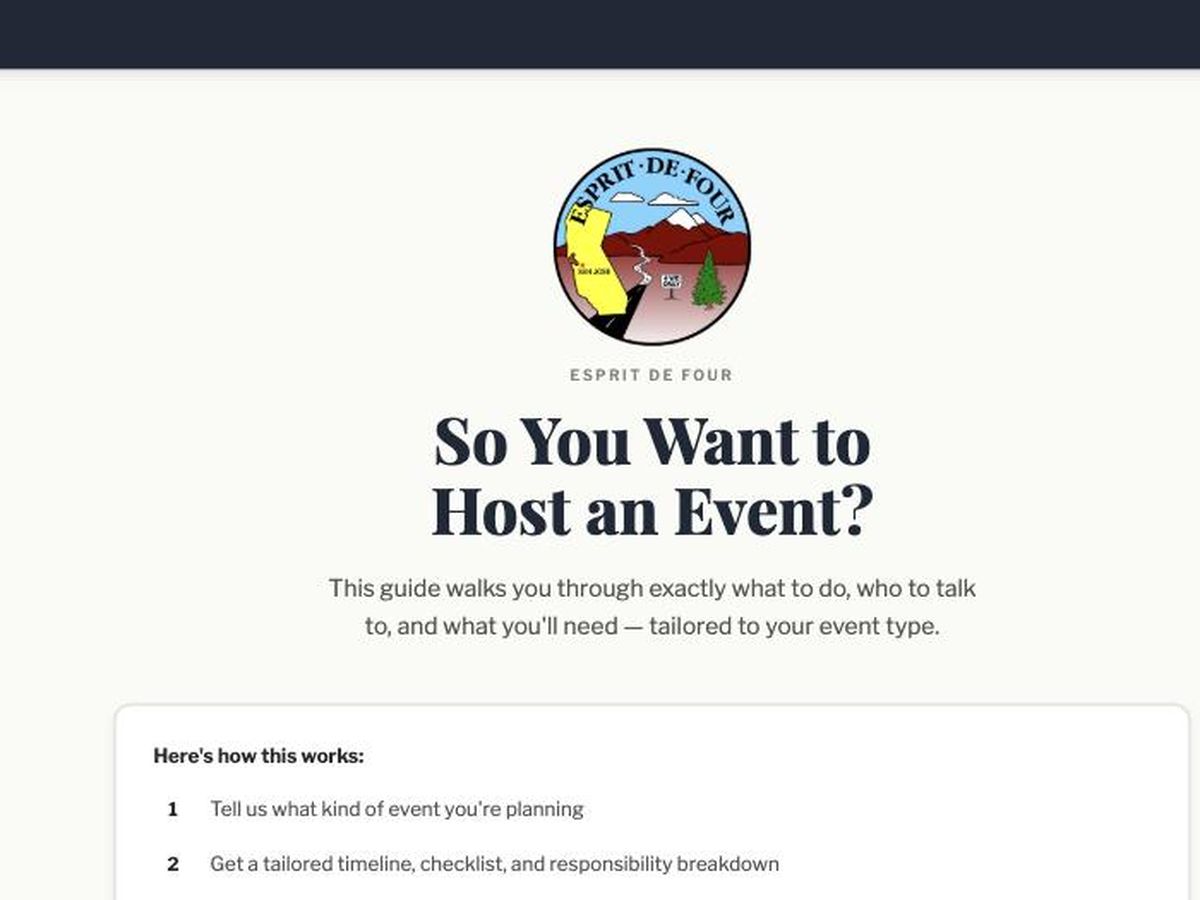
ED4 Event Guide
ed4-event-guide.netlify.app - Netlify
The same event-intake pattern, reused for the Esprit de Four club.
Visit →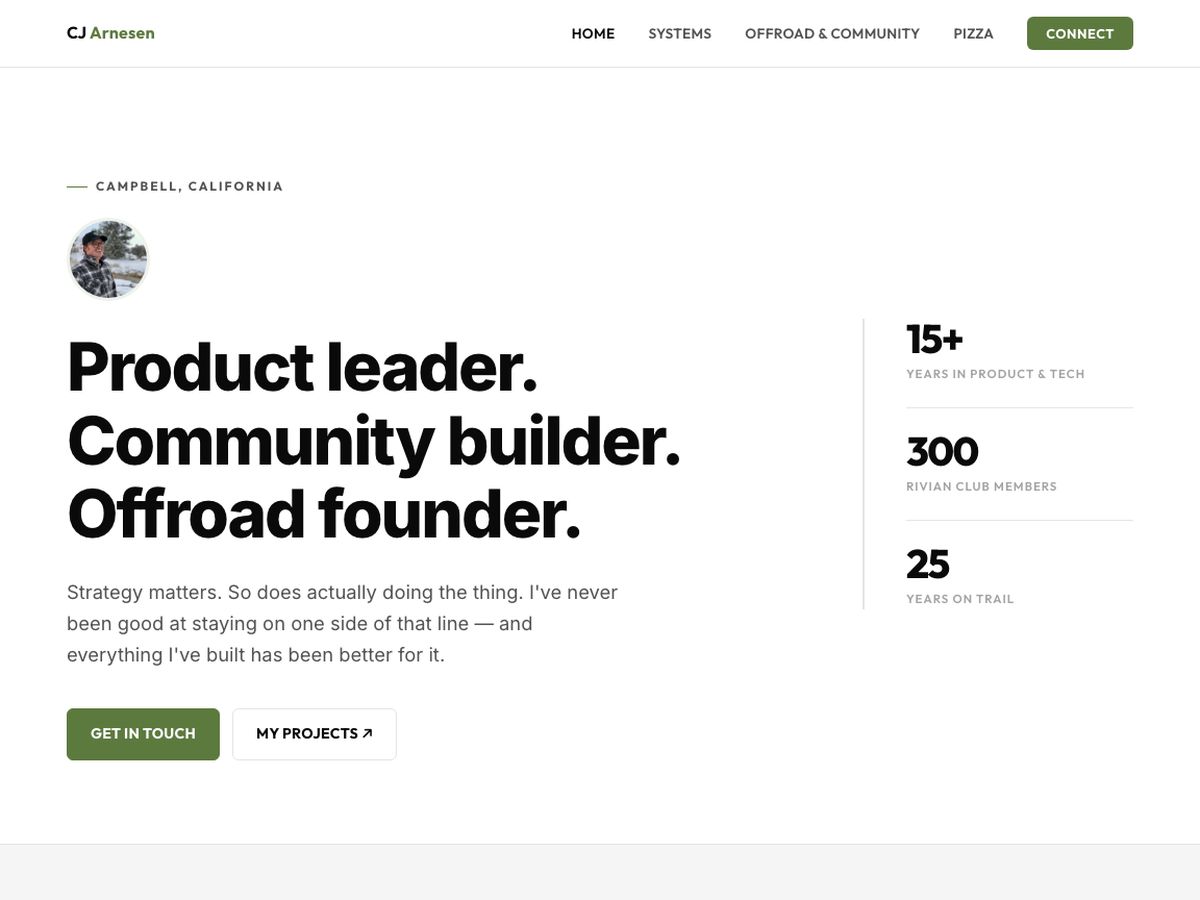
cjarnesen.com
cjarnesen.com - Netlify
This site: the personal home, the owner-operator case study at /systems, the writing at /writing, and the page you are reading.
Visit →09
We rebuilt scheduling from the calendar up
The scheduling tools I paid for could never really see my life. Fixing that started with one calendar flag and ended with SNVORA taking bookings on its own system.
My calendars are on iCloud, shared with my wife, with everything a family calendar collects. Calendly, Cal.com, and Acuity all sat on top of them and guessed, and Acuity charged me $60 a month for it. I was completely fed up. Apple puts a busy/free flag on every event, but there is no way to ask iCloud if I am free right now, and about one event in ten has no flag at all.
I used the team to dig in and understand what Apple was and was not doing with the busy/free flag. We built a small tool that sets the flag using CalDAV, changes nothing else, and backs up the event before it touches it. Then we built an engine that reads the flag along with overlays, blackout dates, existing bookings, and buffers, because iCloud won't answer the question itself.
That engine made cal.cjarnesen.com possible, a booking page that checks my real calendar before it offers a slot. If the sync is out of date it offers nothing instead of guessing. A booking creates a unique Zoom link and adds an attendee-free event to my real calendar. From there the calendar controls the booking. Delete the event and the booking cancels; move it and the booking reschedules.
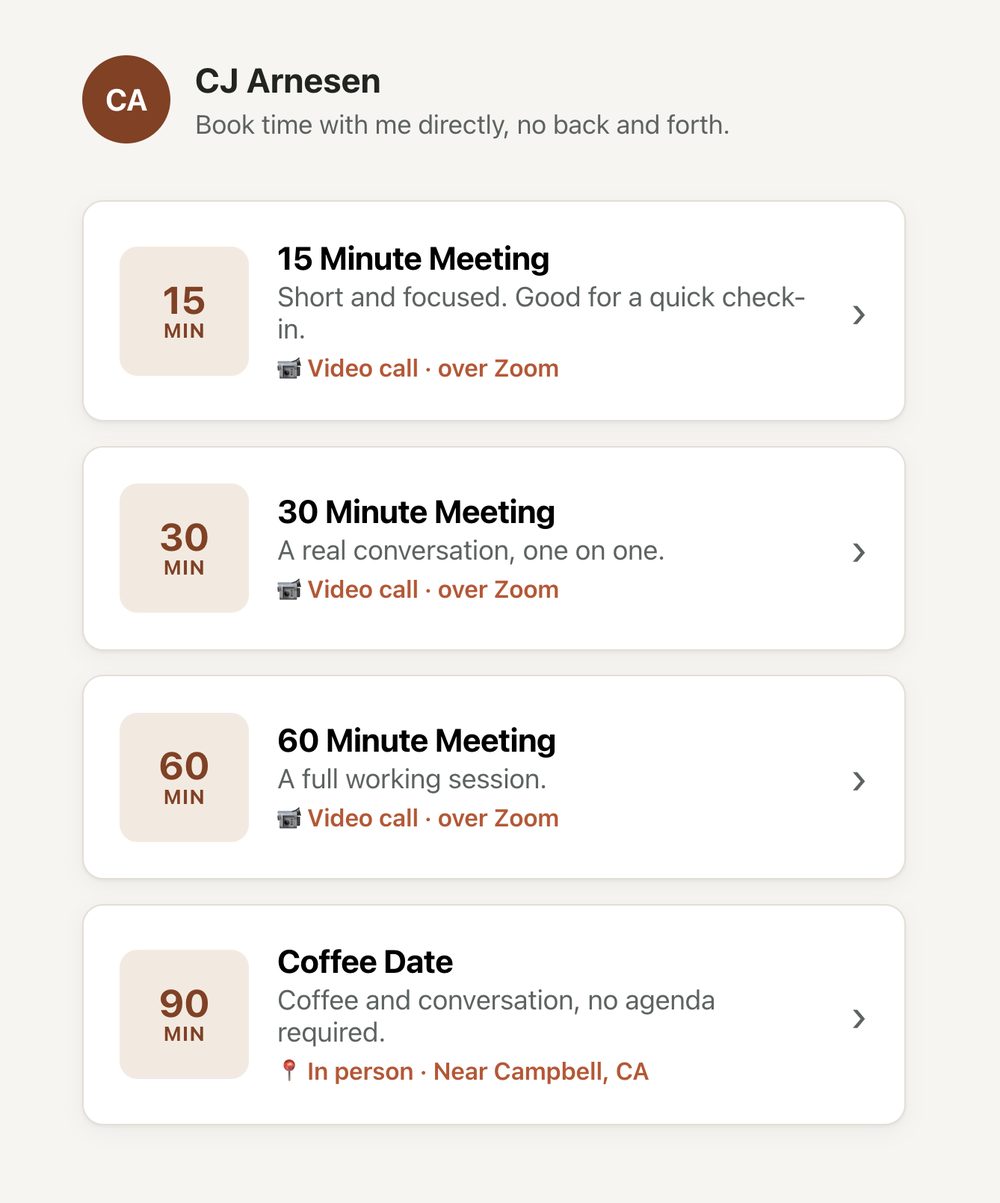
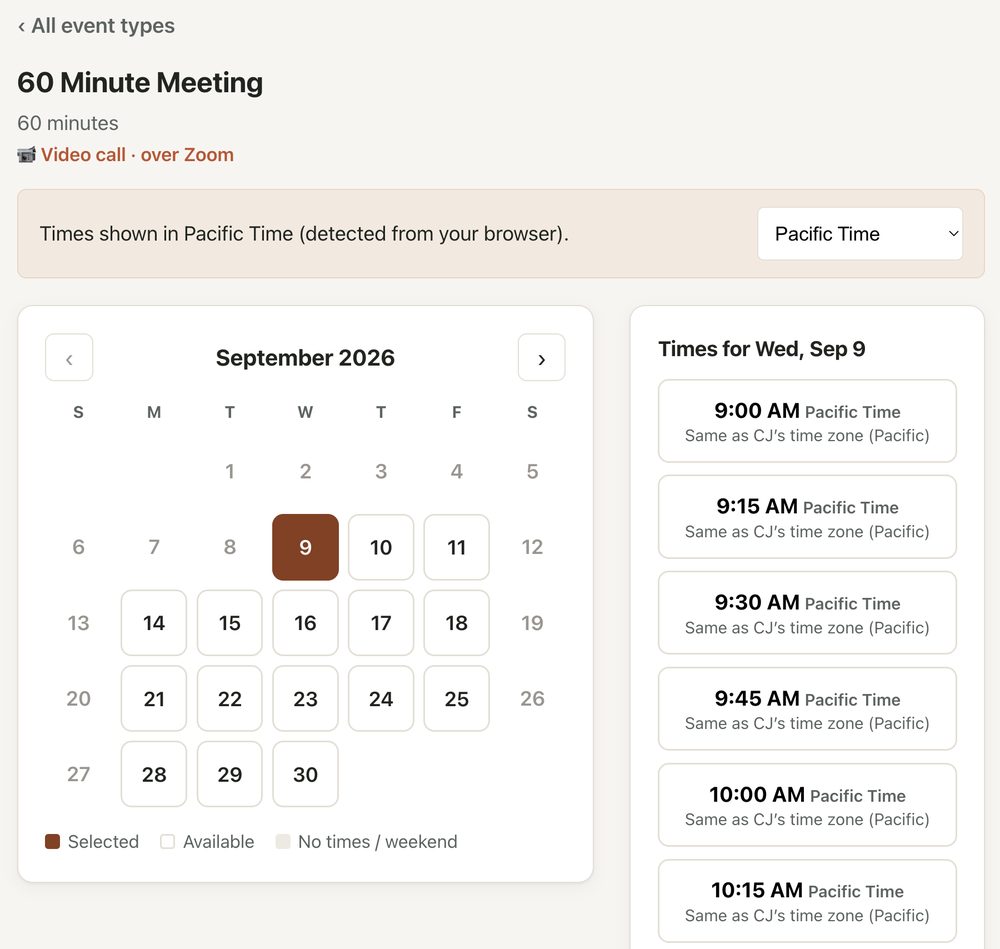
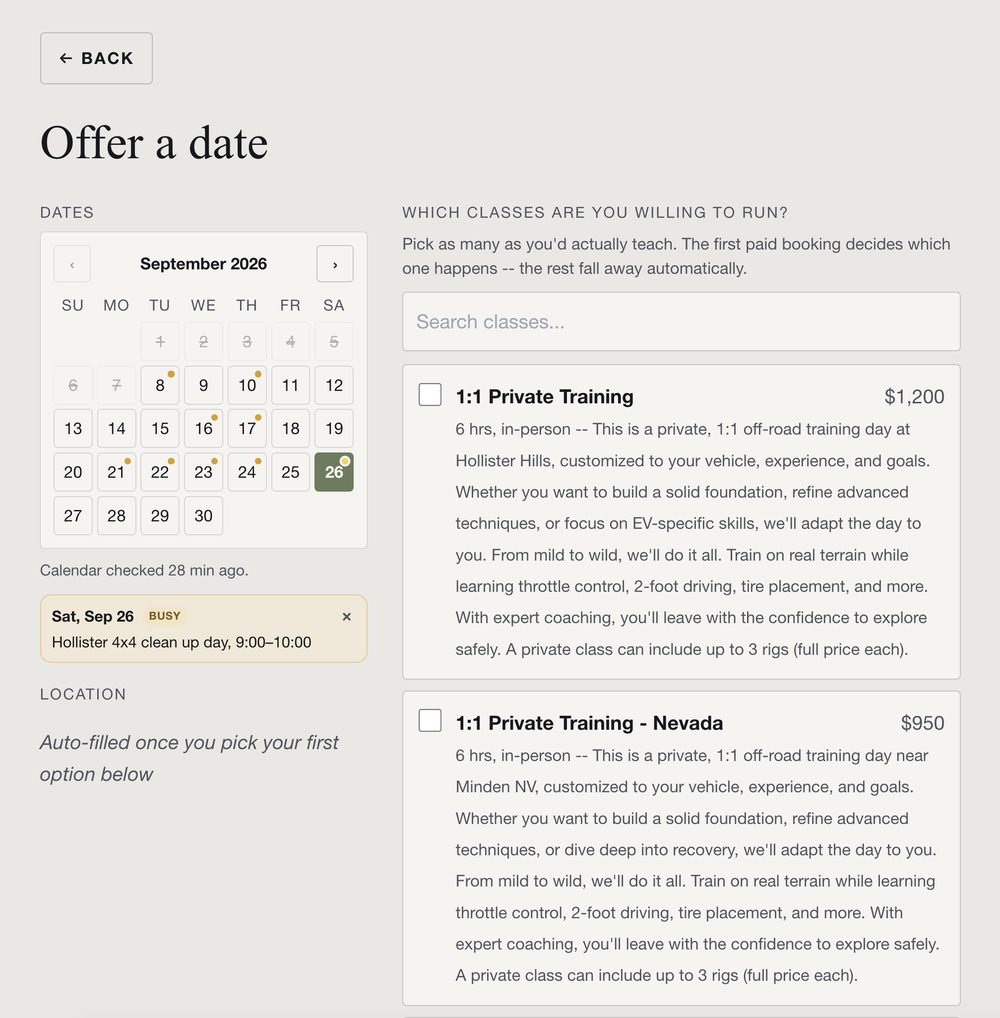
Then we did it at scale for SNVORA. Instead of moving the old signup process onto new tech, I rebuilt the whole customer experience starting from the calendar. We can list six classes on the same day, and the first paid signup locks the day to that class and removes the other offers. When we add class dates, any day that overlaps my personal calendar is flagged before we publish.
Checkout supports discount codes, gift certificates, add-ons, waivers, and refunds as store credit. The waivers are e-signed without a vendor and keep a real audit trail. Everything runs on our own domain, and the only third-party page a customer sees is Stripe's, on purpose, so we never handle card data.

Behind this are 130 database migrations and a booking test suite of more than 1,300 tests. I built the SNVORA site in eight days, and done the usual way it probably would have cost $10,000 and taken two months. It didn't go smoothly the whole way. The morning the system sent about 1,100 emails for one booking, and the reschedule that tried to move a 2026 booking to 2007, are in the longer write-up: "Apple Has a Busy/Free Flag. It Just Won't Let You Ask."
10
The team reads my inbox twice a day
I have three inboxes: my personal Gmail, the SNVORA account, and the one for the Rivian club I run. At 6:30 in the morning and 6:30 at night, a job reads all three and sorts everything into four groups: needs a reply, needs a reply and is time-sensitive, worth knowing about, and junk it doesn't even list. Anything that needs a reply gets a draft in my voice.
It can read my email and write drafts, but it cannot send them. Sending was never part of the build, so the send button stays mine. The briefing also has a Notes section that reads like an admin who knows my calendar and my customers: who's waiting on me, the lead I might have missed.
From April 5 to September 8 it processed 9,956 emails across 225 runs. I won't pretend to know how many hours this has saved me, but I do know it has caught emails that would otherwise have slipped through the cracks. And, there is also that one morning its draft beat the one I wrote by hand. I wrote up that story here: "My Inbox Runs Itself Twice a Day".
11
The tools I actually run it from
Many of these tools are internal. They help me run the business day to day, and they also produce one-off content that customers do see.
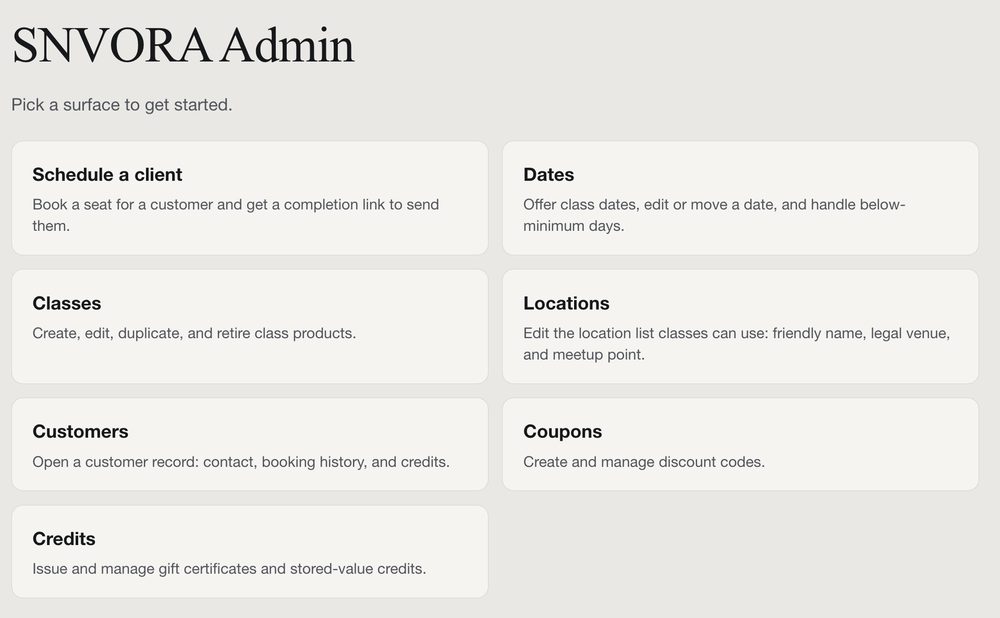
Behind the public sites sit the operator tools. There is an Email Wizard that assembles the post-event follow-up, gear links, survey, and photo-album steps into a draft I review. There is an Image Review surface where I approve or correct generated curriculum images before they get inserted into a template. And there is the SNVORA admin page, the owner side of the booking and scheduling system. Its home screen and the offer-a-date screen are below.

12
The system checks its own work, and works on itself
One layer exists to improve the others. It watches for better methods, grades its own output, and verifies what it renders and stores before I ever see it.
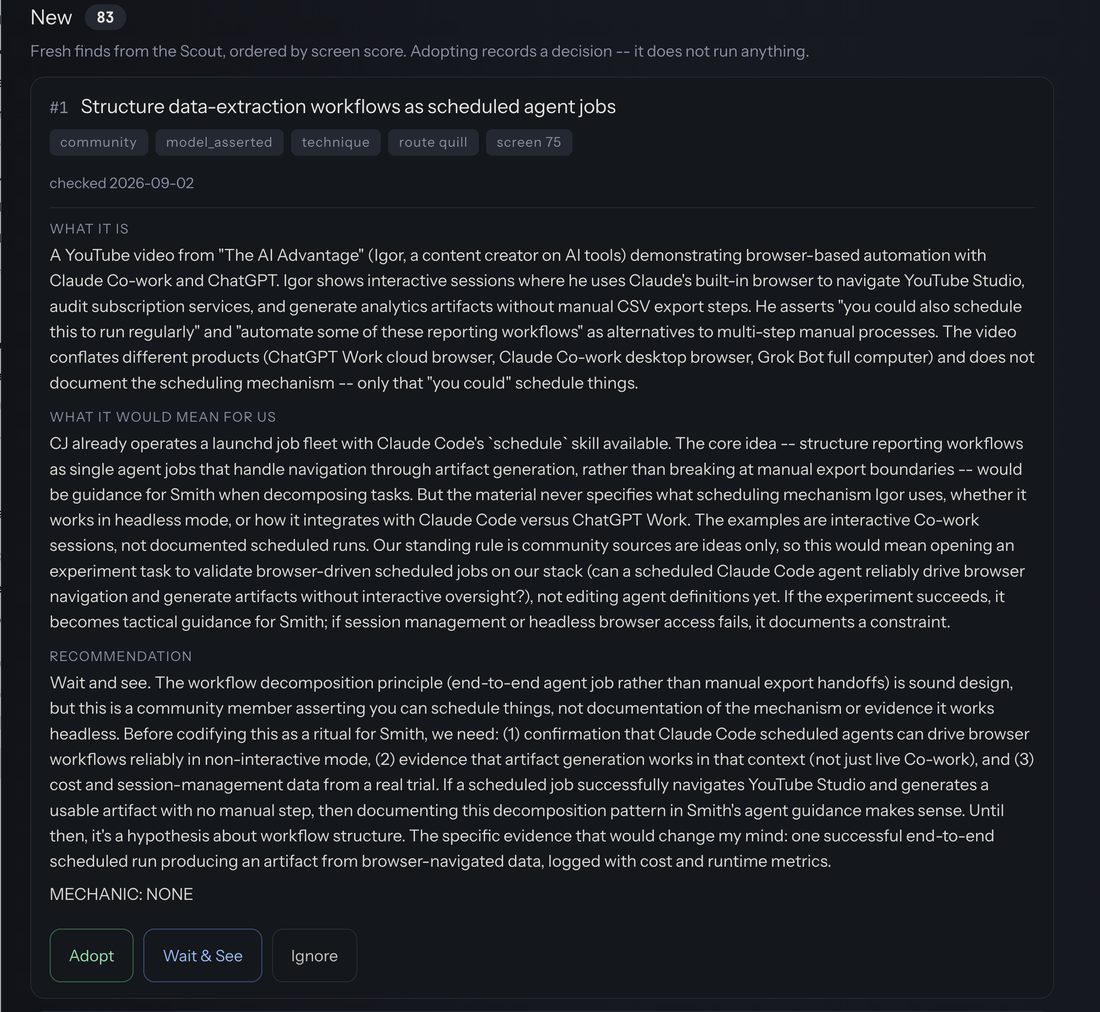
Tradecraft Scout monitors documentation, model release notes, and best practices across a curated set of sources for changes that might matter, screens them for relevance, tiers how much to trust each one, and only surfaces a proposal once it clears the gate. When a page it read came back garbled and the summary invented things that were never there, it caught that instead of passing it along. It started at 29 videos, about 13.4 hours of source, transcribed and analyzed so I could review what was worth keeping in about fifteen minutes. The corpus is 96 transcripts now. What clears the gate comes to me as a write-up with a recommendation, not a link to go read.
Every Monday at 05:15, the system grades itself against 19 real tasks with deterministic graders, so a change that quietly makes things worse gets caught. And two self-verification gates run before anything reaches me: one screenshots and grades any rendered page, the other verifies any stored change against the actual state of the world, not against an exit code. The system does not ask me to trust that it worked. It checks, then shows me the check.
The image pipeline, one real run
Here is what "checks, then shows me the check" looks like in practice. For one prospect's personalized Intro-to-Driving deck, the system generated 163 candidate images at 2K across three rounds, then I picked the winners. Those winners went into the deck through the Slides API, with a person reviewing at every step. The images below are four of those generated candidates.


13
The numbers, as of today
These cover different parts of the work, and they do not add up to one hours-saved number. Dashboard counts are current as of September 8, 2026.
| What | Number |
|---|---|
| Routine SNVORA administration | ~15 h/wk toward ~45 min/wk |
| Tasks routed through the dashboard | 4,161 since 5 Apr; 3,636 delivered or archived |
| Email triaged across three inboxes | 9,956 messages over 225 runs, April 5 to September 8 |
| Decisions that came back to me | 477 recorded on the dashboard |
| Session email for one class | 8-student class produces 24 correctly timed messages |
| Transcripts reviewed and filed | 43 items across 49 routing runs |
| Curriculum image generation | 2,336 images across five client programs, including the fire service curriculum; $0.134 per 2K image, $0.24 at 4K |
| Prospect imagery run | 163 candidates over two days for one deck; I picked the winners myself |
| Fire and off-road incidents | 763, pulled from multiple sites and data sources into one searchable library |
| First institutional curriculum | ~200 of my hours to build, inside 275+ total deck hours; that was the cost, not the saving. Updating a customized version now takes a handful of hours, not the weeks it took by hand |
| Tradecraft source corpus | 96 transcripts read, 305 findings logged, 9 adopted |
| Web projects managed | at least 16, across production, staging, utility, and club accounts |
14
What it runs on
No exotic infrastructure. Boring, durable parts, wired together carefully.
- The machine
- Mac mini
One machine in my house runs all of it; the setup lives in GitHub and Dropbox, so it could move to a new box in an afternoon.
- launchd
The Mac's built-in scheduler starts every job in section 07 on its own clock.
- Claude Code
The agents themselves, each one a markdown file in the repo; Smith and the writer run on Fable, the rest on Opus for heavier judgment work or Sonnet for lighter jobs.
- GitHub
Where all of it lives: the agents, the memory, the sites. Actions runs the checks that decide whether a change is allowed to deploy.
- Codex CLI
A second, outside coding tool that builds in the same repo, under the same gates.
- CAIRN
The operating board: Python and one SQLite file, no heavy frameworks, and every number on it comes from the task database.
- Memory store
Every lesson the team keeps is a markdown file in the repo, with an index the next session reads first.
- ntfy
The alert channel for anything that needs my attention now.
- Playwright
The tool that screenshots and grades rendered pages before I see them.
- Vertex AI
Google's image generation, behind our own pipeline: a prompt assembler, a cost ceiling, and a review step where I approve or correct every image before it reaches a template.
- The sites
- Astro
Builds this site to plain HTML before it ships, so nothing runs on the server.
- Sveltia CMS
The editor I write articles in; it commits to the repo, and an article goes through the same deploy gate as everything else.
- Deploy gate
Pushing to the site's repo deploys nothing; a GitHub Actions run checks the pages first, and only a passing run tells Netlify to build.
- Netlify
Hosts the public sites; for this one, a build starts only when the deploy gate says so.
- Cloudflare DNS
Runs DNS for cjarnesen.com, and a worker that handles the CMS sign-in.
- Cloudflare Tunnel
How the dashboard is reached from outside the house, behind a login and without opening a port.
- The business
- Neon
The hosted Postgres behind SNVORA bookings and the booking page.
- Cloudflare Workers
The work that has to happen whether or not the Mini is awake: a worker renders every signed waiver into a PDF and hands off the customer email.
- Cloudflare R2
Where those waiver PDFs are kept. The house copy on the Mini is pulled down from R2, so the record exists in two places without me moving a file.
- Cloudflare Queues
Carries the customer email path off my machine. It is the one piece here with no free tier, and $5 a month is the price of a receipt arriving in seconds instead of whenever the Mini next wakes up.
- Resend
Delivers the mail at the end of that path: receipts, waiver copies, reminders, the booking link a customer uses to reschedule.
- iCloud over CalDAV
My own calendars, shared with my wife, and the thing the booking pages check before they offer anyone a slot. The busy/free flag is read and written over CalDAV, which is why Apple Calendar stays the place I actually manage my time.
- Zoom
Every online booking gets its own meeting link, created by the booking system, not by hand.
- Stripe
Takes the payments for SNVORA; it's the one third-party page a customer sees, so we never handle card data.
- Notion
The system of record for customer and class data.
- MailerLite
The email list for SNVORA customers.
- Google Workspace
Docs and Sheets the team reads and writes.
15
Longer reads
Four pieces go deeper than this page does.
- Apple Has a Busy/Free Flag. It Just Won't Let You Ask. - how one calendar flag turned into the booking system.
- Teaching an AI Team to Remember What It Learned - the memory design, and the outside review that got its biggest finding wrong.
- My Inbox Runs Itself Twice a Day - three inboxes, twice a day, and the number I won't give you.
- The Five Ways AI Writing Gives Itself Away - what I had to teach the team about sounding like me.
Tell me about your workflow
No pitch, just comparing notes. If you run a training, event, or field-service business and something here looked familiar, I'd genuinely like to hear about it.
Tell me about your workflow